Town Halls & Event Spaces – Komstadt

AV & Collaboration · 03 Town Halls & Event Space

Town Halls &
Event Space.

Large-format display, clear audio and professional capture for company-wide communications—in the room and online.

Corporate communications at scale

When Everyone Needs To See, Hear And Join In.

Town halls, all-hands meetings and corporate events put the whole organisation in one room—and often online too. The audience must see the content, hear every speaker and, where needed, join remotely.

Our approach combines display, audio, control and capture so the event runs smoothly for the speakers, the audience and the technical team.

Integrated AV & broadcasting

Town Hall Solutions.

The in-room experience and the broadcast are designed together. See the full display, audio, recording and streaming capabilities here—no additional subpages.

Display & Mic Solutions – Komstadt AV
01

Display & Mic Solutions

Large-format displays, LED walls, speakers and presenter and audience microphones.

In a larger space, a presenter’s voice and content must reach the back row as clearly as the front. That calls for the right displays, evenly distributed audio and microphones suited to each speaker and the audience.

Visual systems

LED display walls

Large, bright surfaces for content and live image magnification.

Large-format displays

Panels for confidence monitoring, side screens and overflow areas.

Projection

Laser projection where a screen is better suited to the space.

Processing and switching

Scalers and switchers managing multiple sources and layouts.

Speakers & microphones

Speaker systems

Distributed or line-array speakers chosen for even coverage.

Wireless microphones

Handheld, lapel and headset microphones for presenters and panels.

Lectern microphones

Gooseneck or fixed microphones for the lectern and top table.

Audience microphones

Handheld, ceiling or table solutions for questions and discussion.

DSP and mixing

Digital audio processing for tuning, feedback control and level management.

Hearing assistance

Hearing loop or similar systems where accessibility requires it.

Made Simple To Run.

Presets on a touch panel can set the room for a town hall, a panel or a presentation, so staff can run the event without specialist knowledge.

Design considerations

  • Room acoustics and speaker coverage
  • Sightlines and screen placement
  • Number and type of wireless microphones
  • Radio frequency planning
  • Control and presets
  • Rigging, power and cabling
Live Event Recording & Broadcasting – Komstadt AV
02

Live Event Recording & Broadcasting

Multi-camera capture, switching, streaming and on-demand recording.

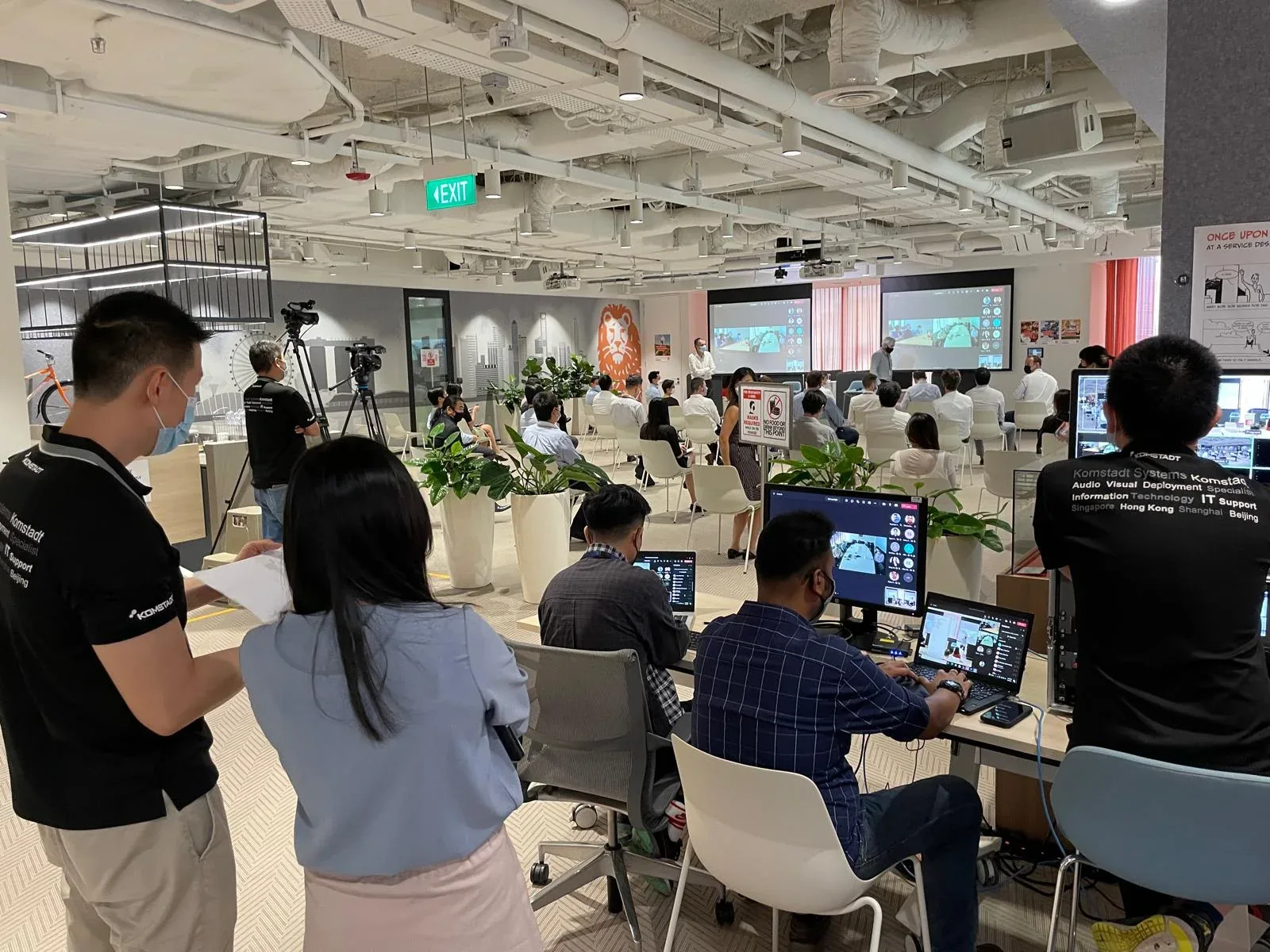
Many organisations need to include remote offices, colleagues working from home or later viewers. A well-planned capture and broadcast system makes this routine rather than a special production. We design the chain from camera to viewer, so what people see and hear online matches the quality in the room.

From camera to viewer

Cameras

Fixed and PTZ cameras covering the stage, lectern, panel and audience.

Switching and graphics

Video switching, lower-thirds and content layouts for a polished programme.

Audio mixing

A broadcast mix separate from the room mix, with echo and feedback control.

Encoding and streaming

Streaming to Microsoft Teams, Webex, Zoom or an internal platform.

Recording

Recording of the programme for on-demand viewing and archive.

Remote participation

Q&A and remote speakers brought into the room cleanly.

From Automated To Fully Operated.

Some organisations want a simple, one-touch record and stream. Others want a managed production with an operator. We design to your preference and document the workflow.

Design considerations

  • Audience and platform for the broadcast
  • Camera positions and number of operators
  • Network bandwidth and redundancy
  • Security and access control for streams
  • Recording storage and retention
  • Captioning and accessibility requirements

Planning an event space

What Shapes The Design.

Event spaces are used differently from meeting rooms: they may be reconfigured, shared with other functions or operated by non-specialist staff. We design for those realities.

Questions we resolve at design stage

  • Audience size, seating layout and sightlines
  • Room acoustics and speaker coverage
  • Presenter, panel and audience question-and-answer needs
  • In-room only, hybrid or fully streamed
  • Who operates the system, and how simple it must be
  • Network capacity for streaming

Questions, answered

A Clearer Starting Point.

Can one space serve both town halls and meetings?

Yes. With divisible-room control and presets, a space can switch between formats. See Training & Divisible Rooms.

Do we need technical staff to run events?

Systems can be designed for self-operation, with a control panel and presets. Larger productions may benefit from an operator.

How many wireless microphones can be used at once?

It depends on the system and available frequencies. We plan this at design stage, including the local radio environment.

Can the system link to live broadcast?

Yes. Audio and video feeds can be provided to the recording and streaming system. The recording and broadcasting capabilities are described on this page.

Can events be recorded automatically?

Yes. Recording can start with a room preset and the files stored for later viewing.

Will streaming affect our network?

It can. We review bandwidth and network design with your IT team. See IT infrastructure.

Can we stream to multiple platforms?

Yes, subject to platform requirements and network capacity.

Let’s talk

Plan Your Next All-Hands.

Share the audience size, space, display and microphone needs, and whether events will be streamed or recorded.

Contact Us→

What are you looking for?

Enlarged project site image